When setting up SaaS subscriptions or rebilling for accounts, you'll now see a redesigned provider selection screen — making it easier to understand your options and proceed with confidence from the very first step.
What's New
Visual Cards Instead of a Dropdown
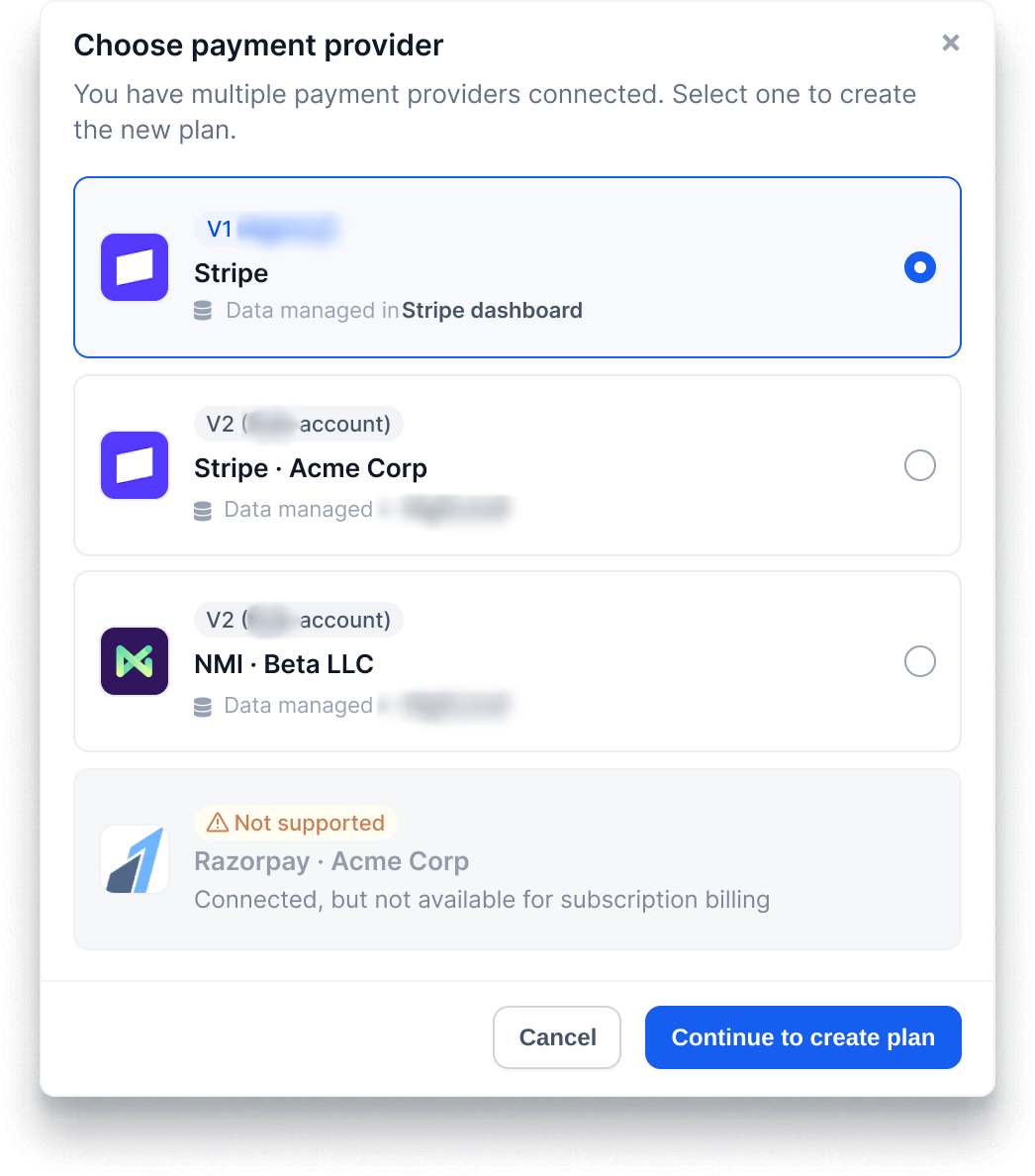
Payment providers are now displayed as cards — showing the provider logo, a V1 or V2 version label, and a clear description of where billing data lives (your account Stripe account vs. directly in CRM. Compare your options side by side before making a choice.
See Which Providers Are Compatible — Upfront
Processors that can't be used for SaaS subscription billing are now shown with a "Not supported" label at the bottom of the list, rather than appearing as selectable options that fail later in the flow.
Consistent Experience Across All Setup Flows
Whether you're enabling SaaS from the Manage Client panel, enabling rebilling, using bulk actions from the Locations list, or creating a new SaaS plan in SaaS Configurator — the provider selection screen now looks and behaves the same way every time.
Step Progress Indicator
A step indicator (e.g., "Step 1 of 3: Choose Payment Provider") now appears during the setup process, so you always know where you are and how many steps remain.
Bug Fixes
Two issues that could prevent SaaS activation from completing — including a silent error that stopped the plan selection screen from appearing and a bug that could land you on step 2 instead of step 1 when reopening the setup — have been resolved.
Why This Matters
Setting up SaaS or rebilling involves a consequential decision about how your accounts' payments are processed. The new card layout gives you the context to choose correctly on the first try, without guessing — and the consistent experience across all entry points means you don't need to learn a different flow depending on how you initiate the setup.
Was this article helpful?
That’s Great!
Thank you for your feedback
Sorry! We couldn't be helpful
Thank you for your feedback
Feedback sent
We appreciate your effort and will try to fix the article