Setting up the same pipeline across multiple client accounts used to take time. Not anymore.
You can now duplicate pipelines instantly or copy them across multiple accounts in just a few clicks keeping your sales processes consistent across clients.
What’s New?
- Duplicate pipelines within the same account
- Copy pipelines to multiple accounts at once
- Pipeline stages and reporting visibility settings are preserved
- Select multiple destination accounts in one action
- Available directly from the pipeline actions menu
How It Works
- Navigate to Opportunities → Pipelines.
- Click the three-dot menu next to the pipeline you want to copy.
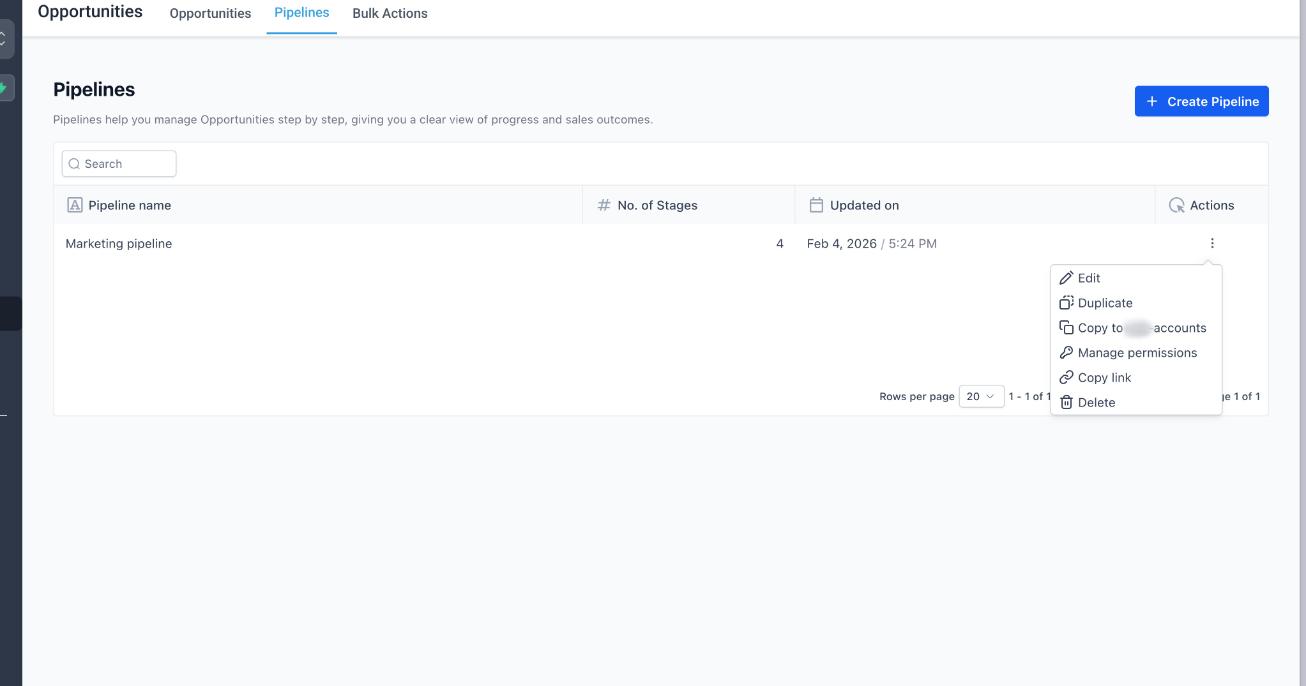
- Choose one of the following options:
- Duplicate: Creates a copy of the pipeline inside the same account.
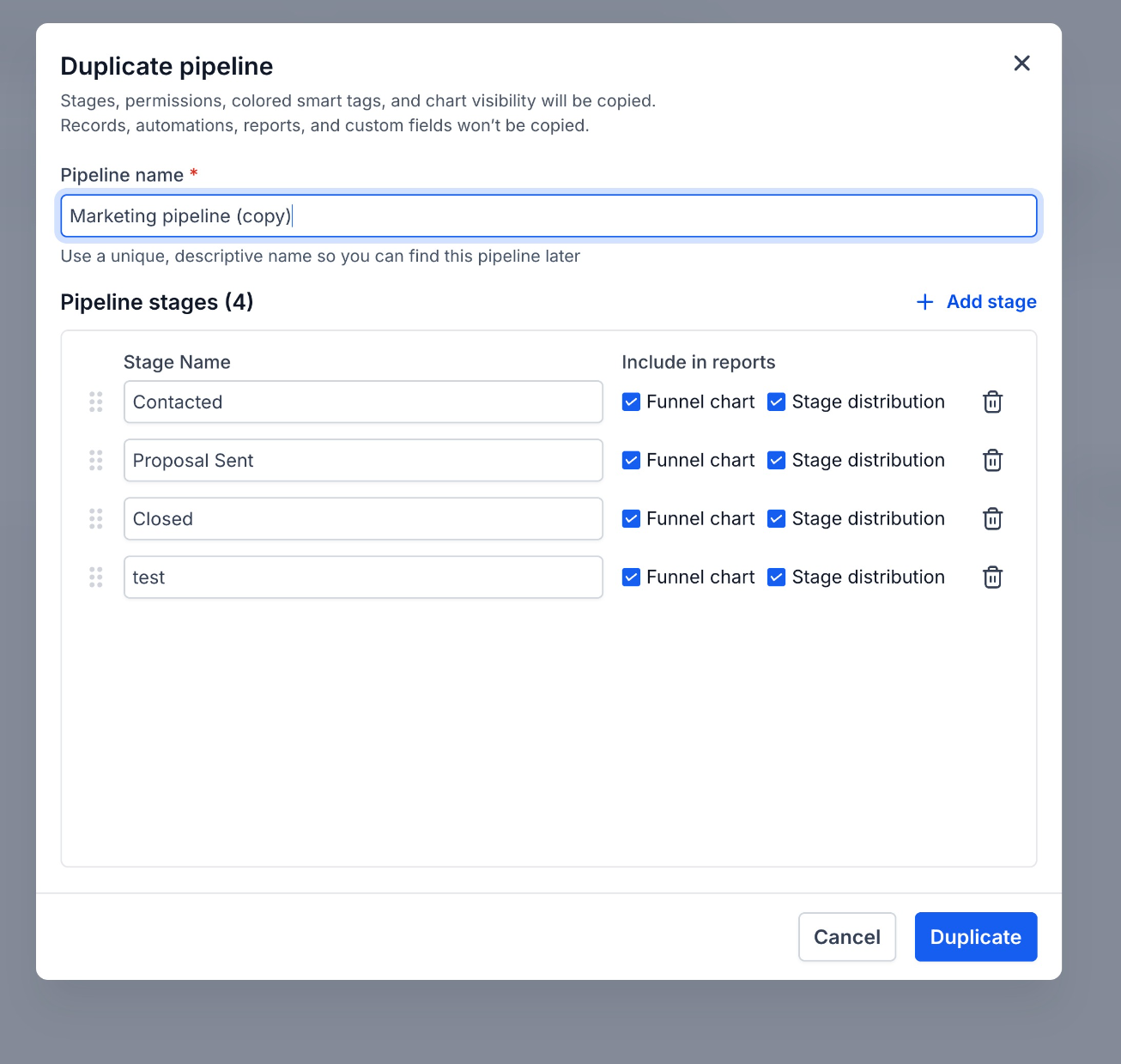
- Copy to Accounts: Select one or more accounts where the pipeline should be replicated.
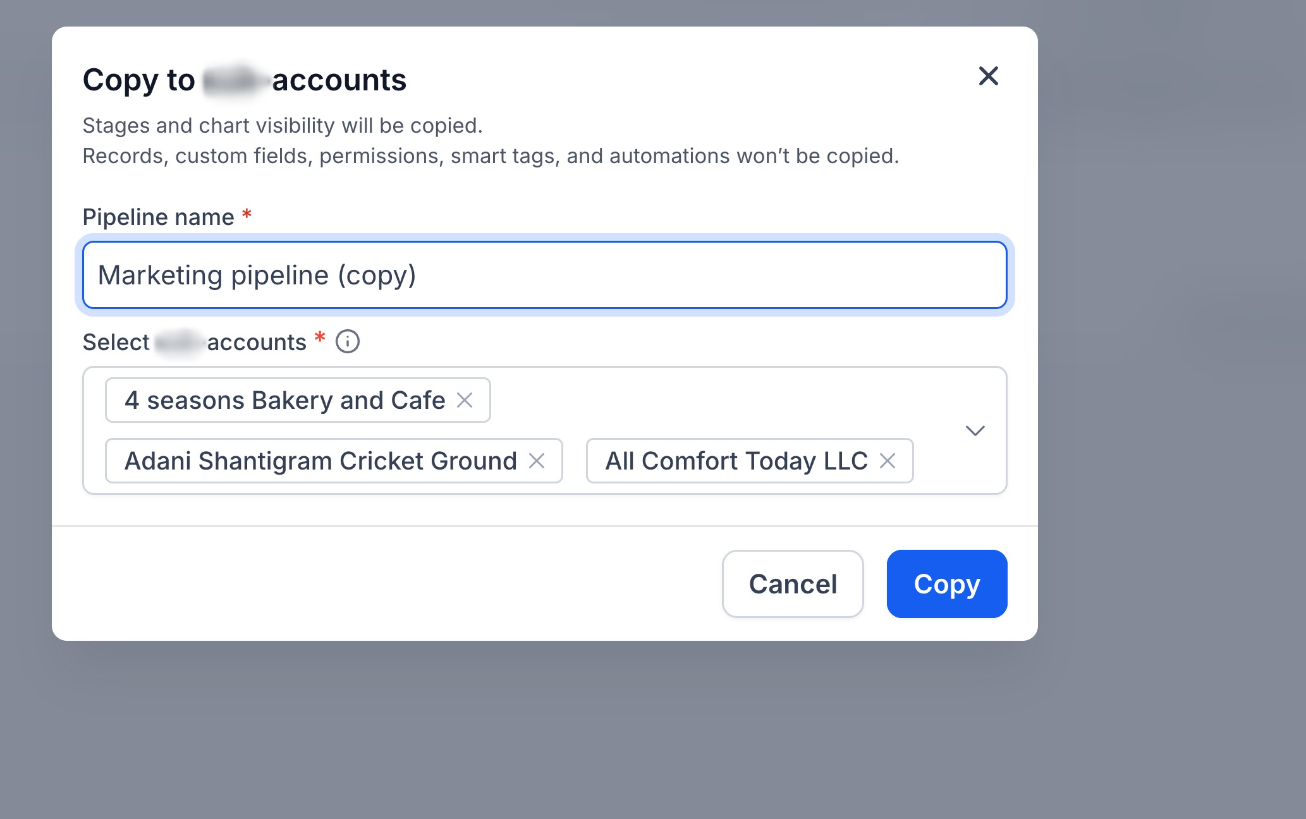
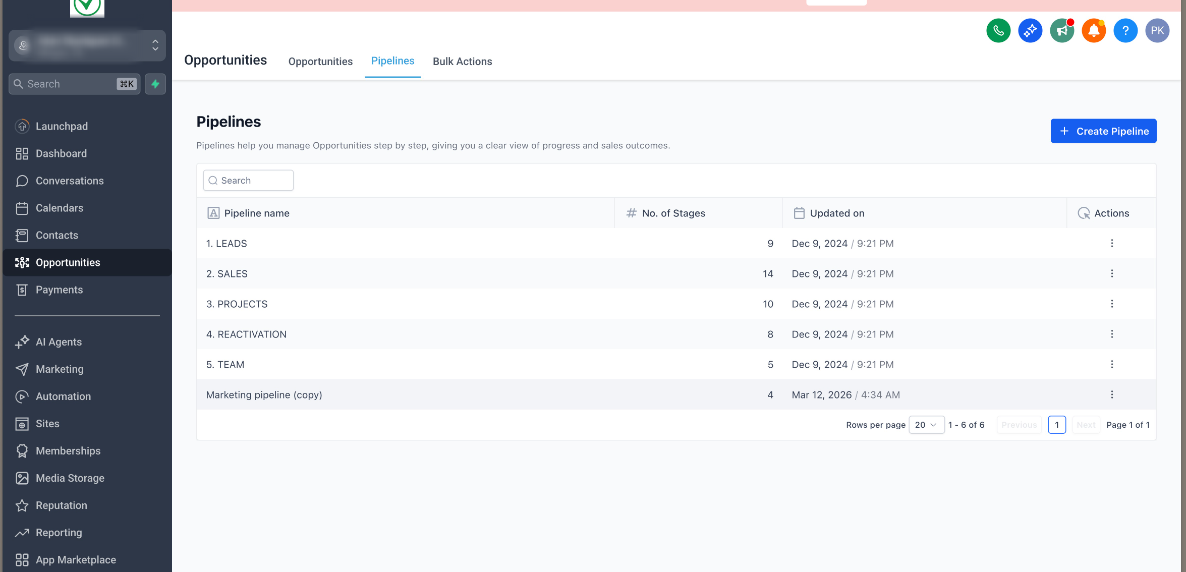
Once copied, the pipeline appears in the selected accounts with the same stage setup.
Why It Matters
- Launch new client accounts faster with ready-to-use pipelines
- Maintain consistent sales processes across all accounts
- Reduce manual setup and repetitive configuration
- Scale account operations more efficiently
Notes
- Copy to accounts is available to all account admins
- Ability to duplicate pipelines is available to all users who have edit access to the selected pipeline
Was this article helpful?
That’s Great!
Thank you for your feedback
Sorry! We couldn't be helpful
Thank you for your feedback
Feedback sent
We appreciate your effort and will try to fix the article